This document describes how to integrate the merchant onboarding feature. Before you begin, please review the following:
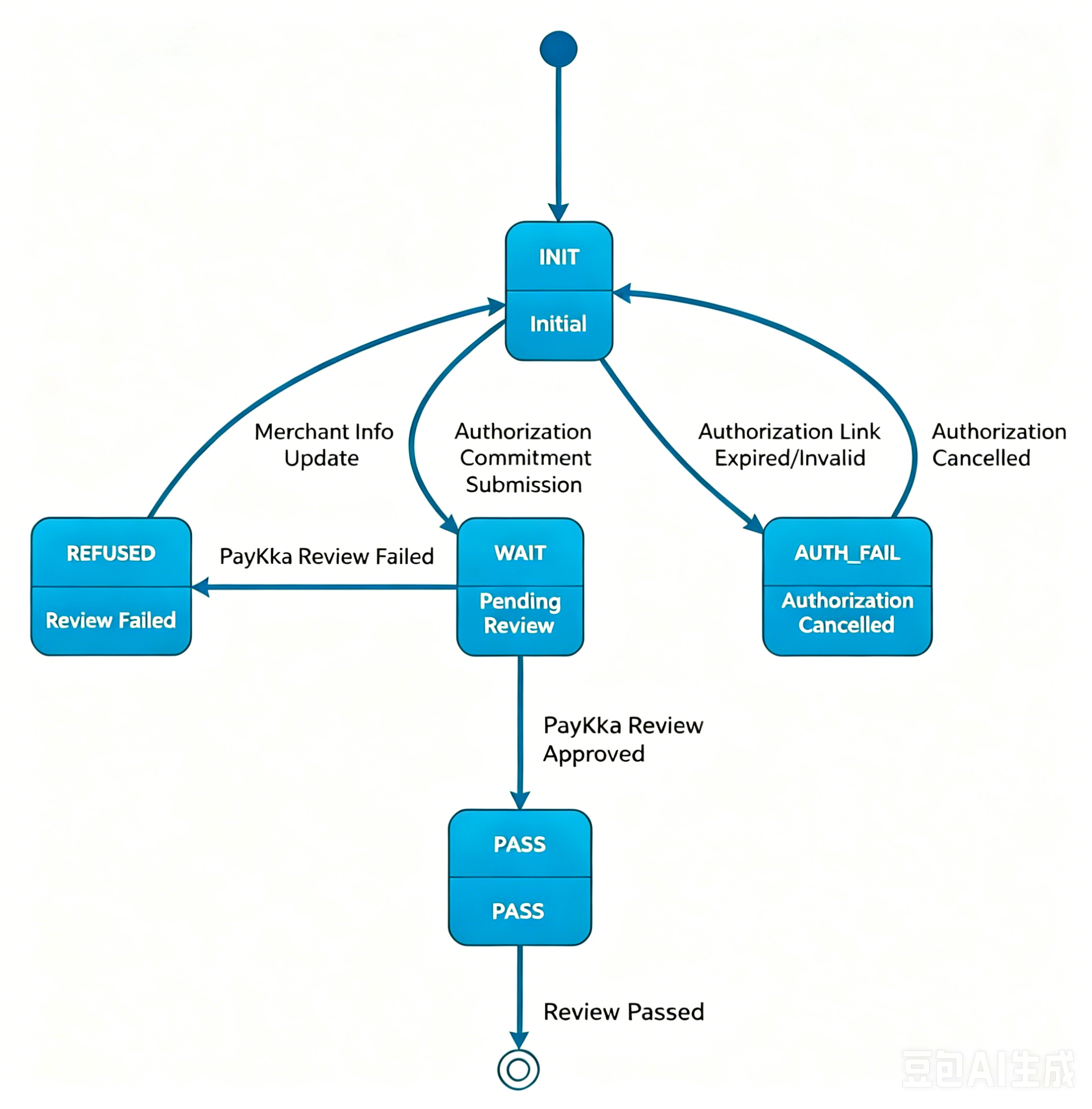
- Merchant Onboarding Application: This API submits a merchant onboarding application
- The system returns a merchant ID
merch_idand an account authorization linkauthorize_link - The
request_idin the request parameters is used for tracking the business process
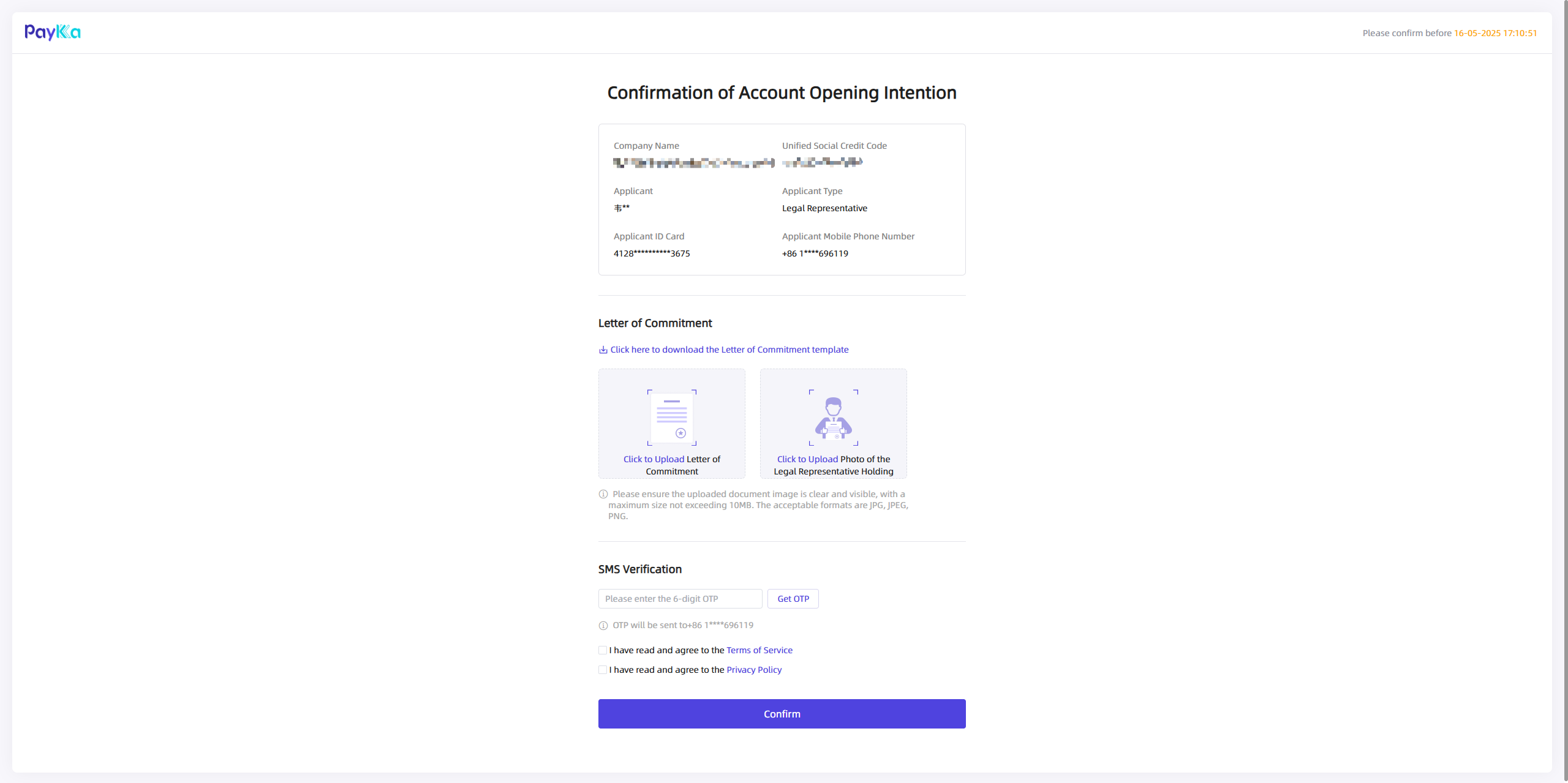
The merchant must confirm the account opening on the authorization interface opened via the authorize_link
- Merchant Information Update: This API updates rejected onboarding applications
- The
request_idin the request parameters must match therequest_idfrom the onboarding application - Only applications with status
REJECTEDcan be updated - After updating information, the merchant must re-confirm through the Account Confirmation step
- Query Merchant Onboarding Result: This API queries the review status of an onboarding application
- The
request_idin the request parameters must match therequest_idfrom the onboarding application - Periodically call the query API to obtain the review status
- Merchant Onboarding Result (Notification): webhook for receiving asynchronous notifications
- Listen for callback notifications of type
MERCH - The
request_idin the notification content is therequest_idfrom the onboarding application
After the merchant is successfully onboarded (status is NORMAL), you can use the merchant ID (merch_id) to open a collection account. See Collection Account for details.