Shoplus is a successful cross-border independent station platform under Zhizhen Technology. With its high-quality website building services, it helps merchants quickly build global business platforms. The platform provides secure payment and stable marketing support, allowing merchants to easily open stores, expand without worries, and effortlessly achieve global business success
Application Name: PayKKa
This application currently allows you to make payments through Visa, Mastercard, and other major card organizations.
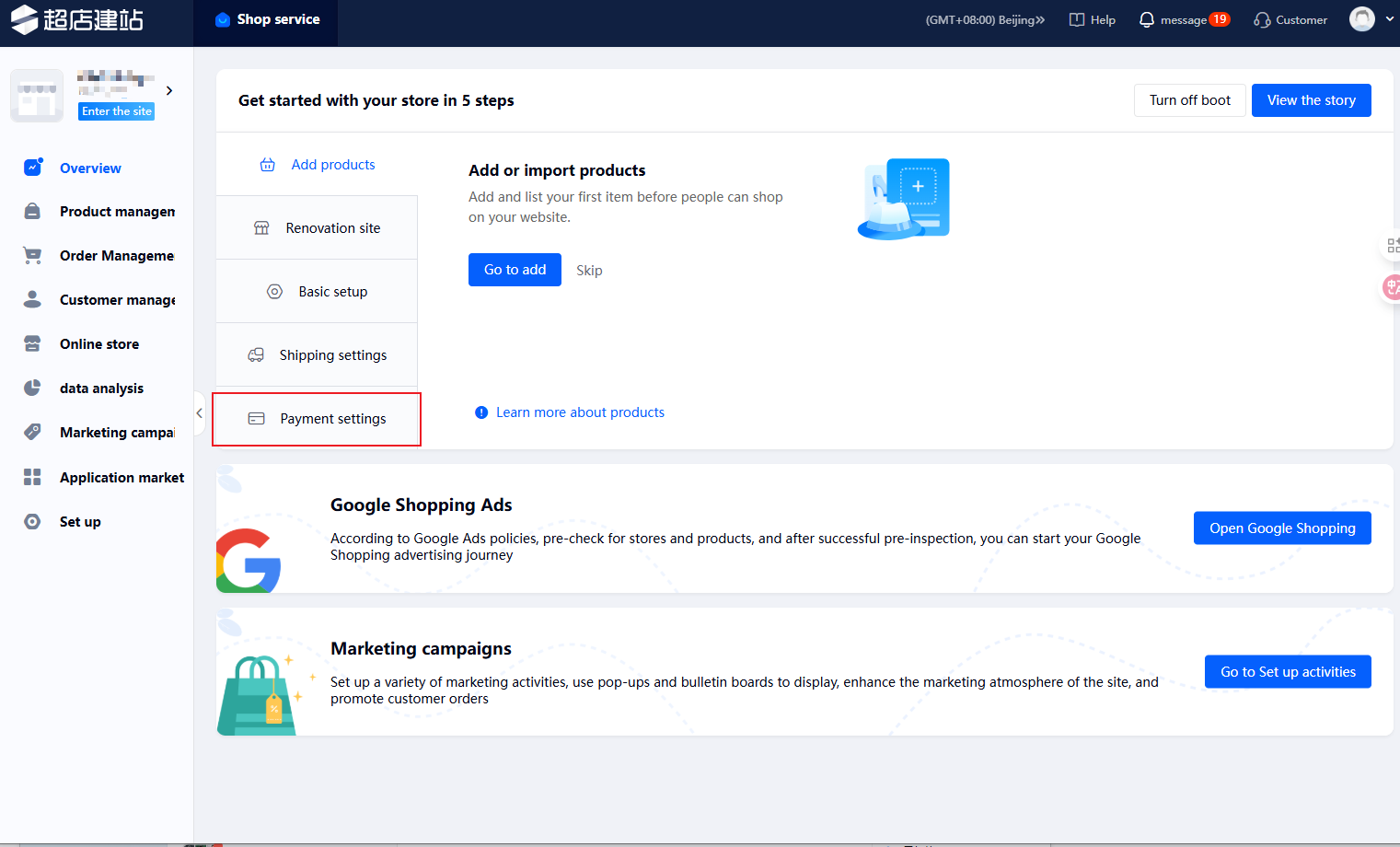
- Go to Store Homepage -> Set up -> Payment Settings
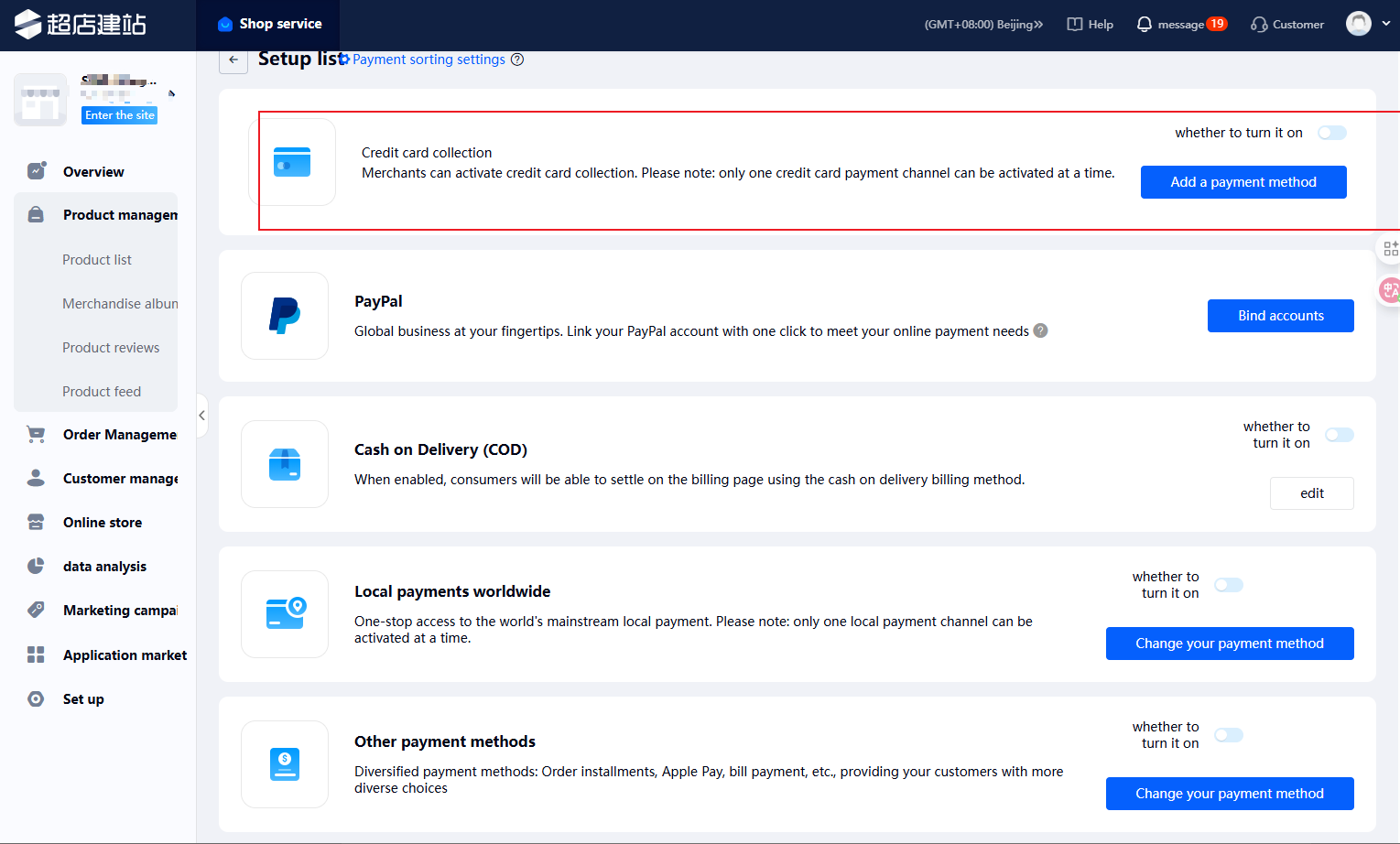
- Credit Card Payment: Select Credit Card Payment, click Add Payment Method, search for "PayKKa" in the search bar, and click Activate.
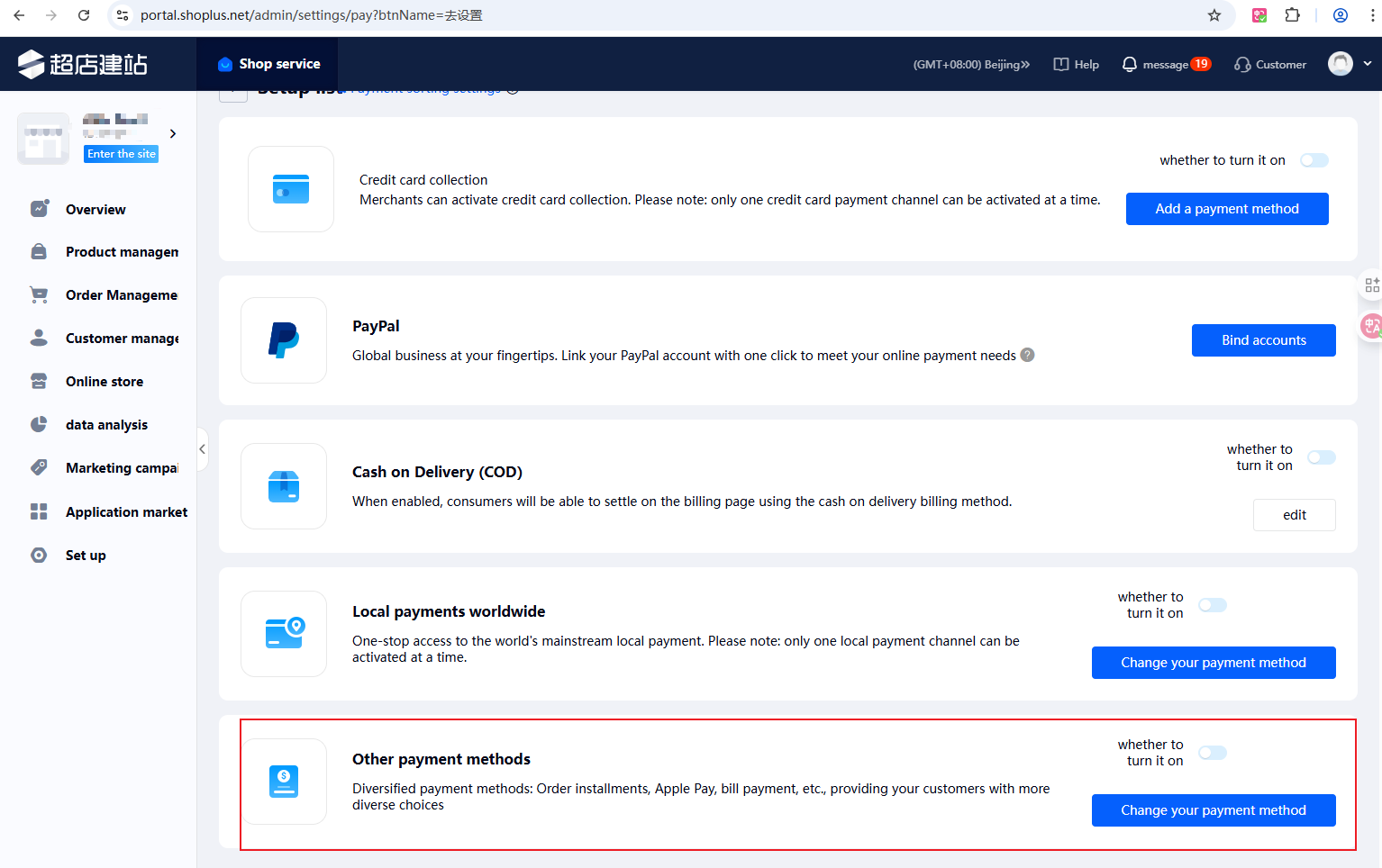
- PayKKa(Direct) Application: Select Other Payment Methods, click Change Payment Method, search for "PayKKa" in the search bar, and click Activate.
If you cannot find the corresponding application, providing your store identifier to PayKKa staff can expedite the process
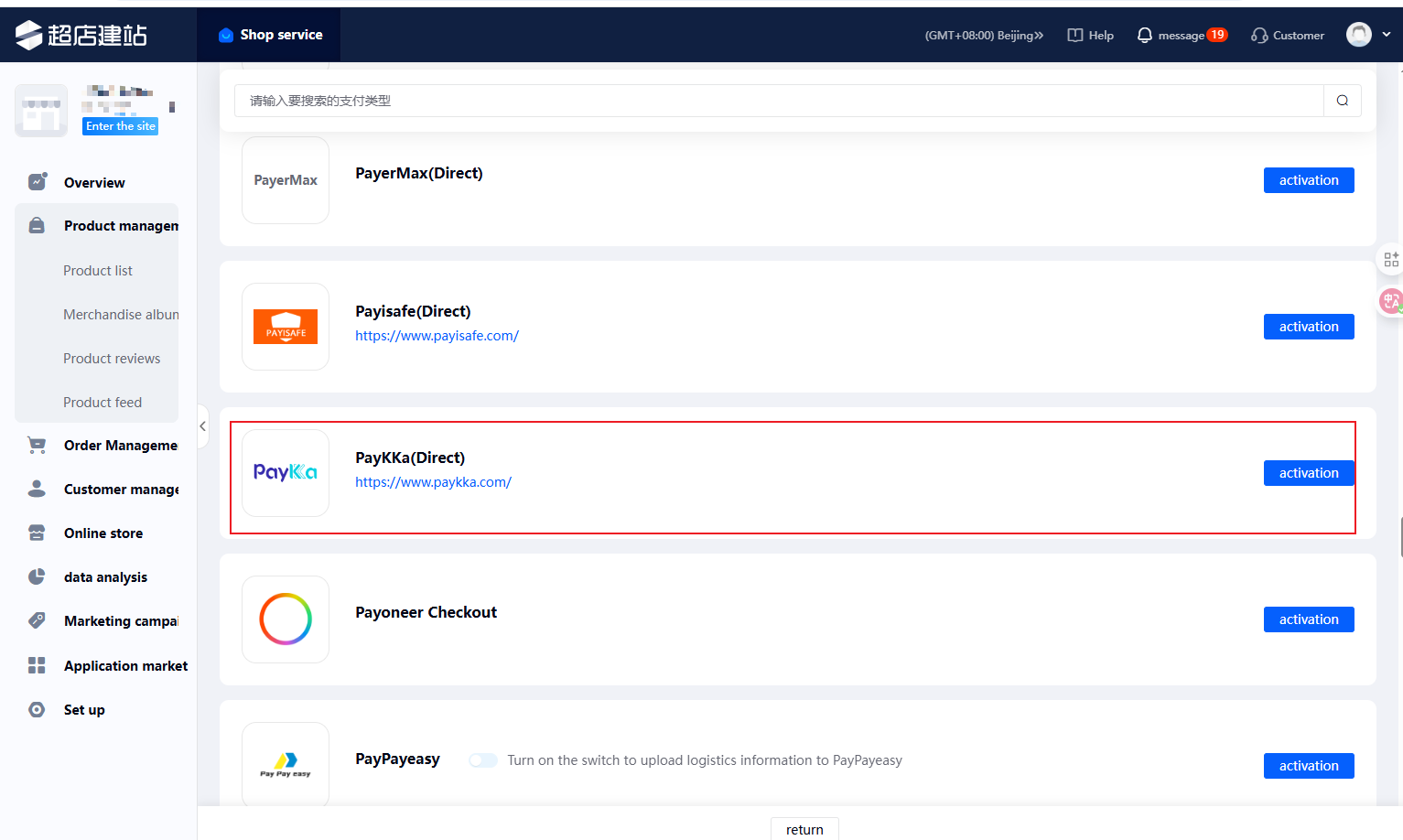
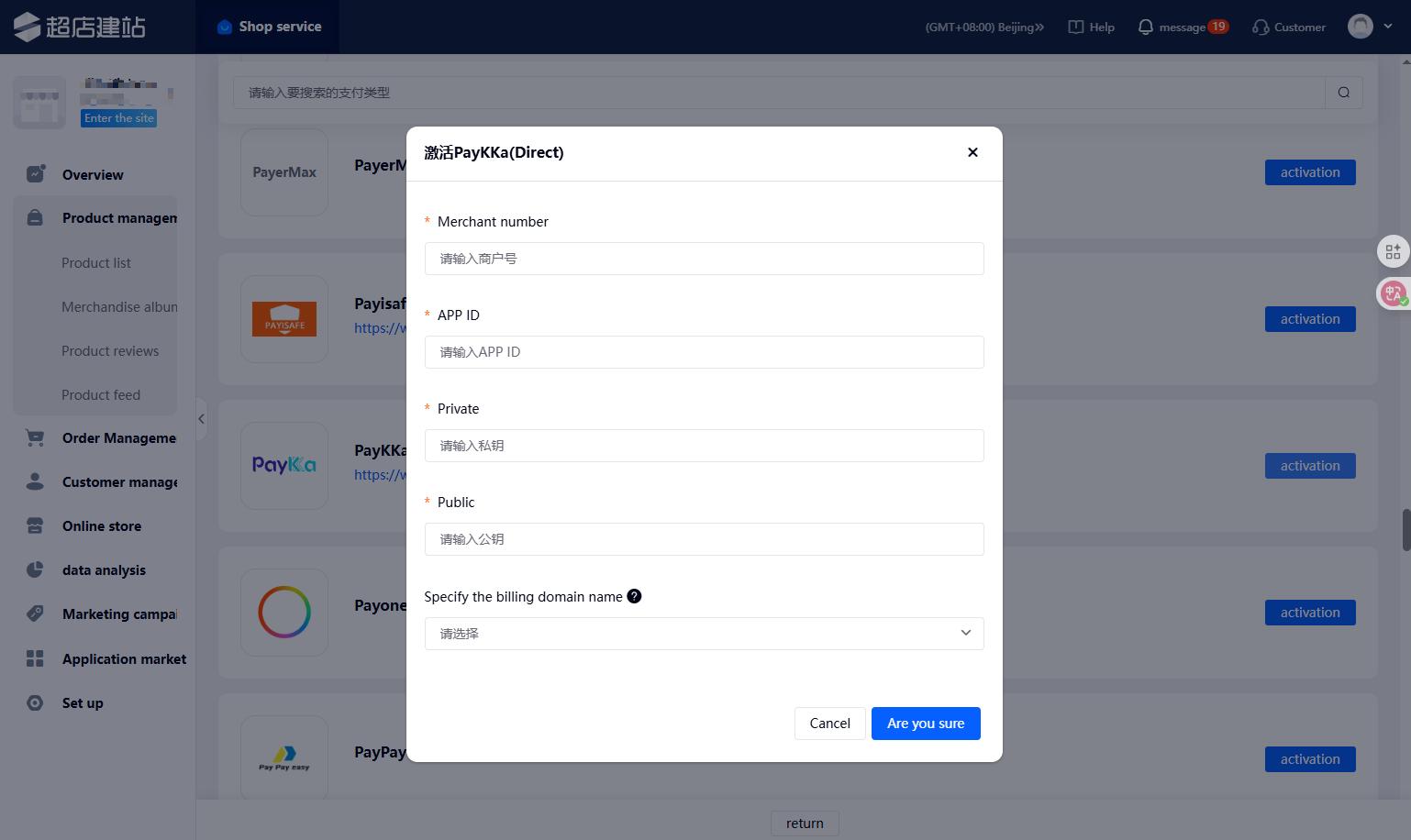
Activation requires entering key information provided by PayKKa on the Shoplus platform. Please log in to the PayKKa merchant platform to obtain this information.
| Activation Parameters | Source |
|---|---|
| Merchant number | PayKKa Merchant Platform/Merchant Platform/Merchant Management, select the merchant ID that needs to be associated |
| APP ID | PayKKa Merchant Platform/Settings (top right)/Permissions & Security/AppId, where you can see the AppId |
| Private | PayKKa Merchant Platform/Settings (top right)/Permissions & Security/Transaction Key, where you can see the private key (click Create to reset the key) |
| Public | PayKKa Merchant Platform/Settings (top right)/Permissions & Security/PayKKa Public Key, where you can see the public key |
| Specify the billing domain name | Select the corresponding domain (European region or other) based on the company registration location chosen during PayKKa real-name verification |