Before installing the Ueeshop plugin, you need to register as a PayKKa merchant. Please log in through the appropriate entry point based on your service region:
- Log in to your Ueeshop portal.
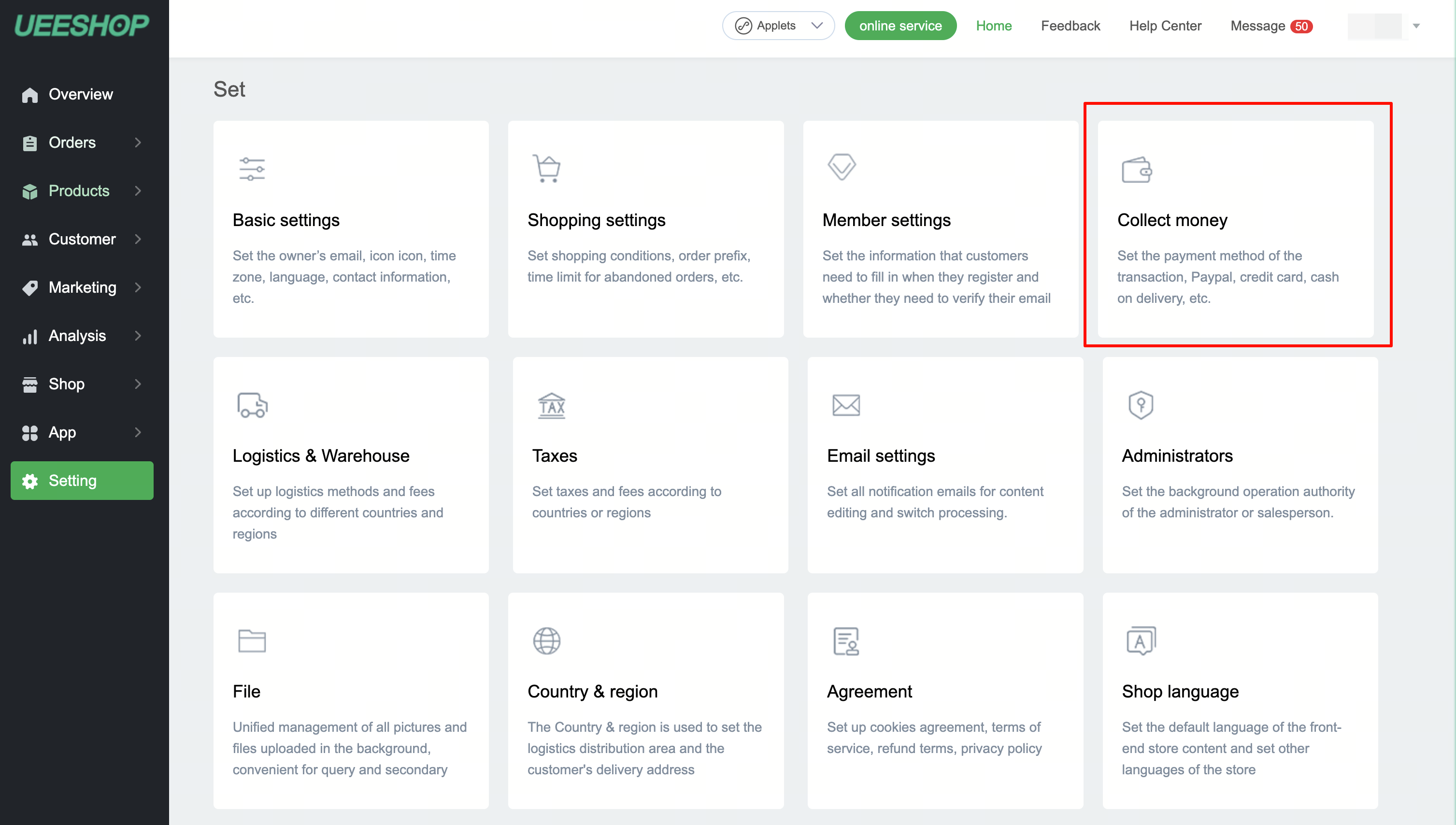
- Click Settings -> Payment.
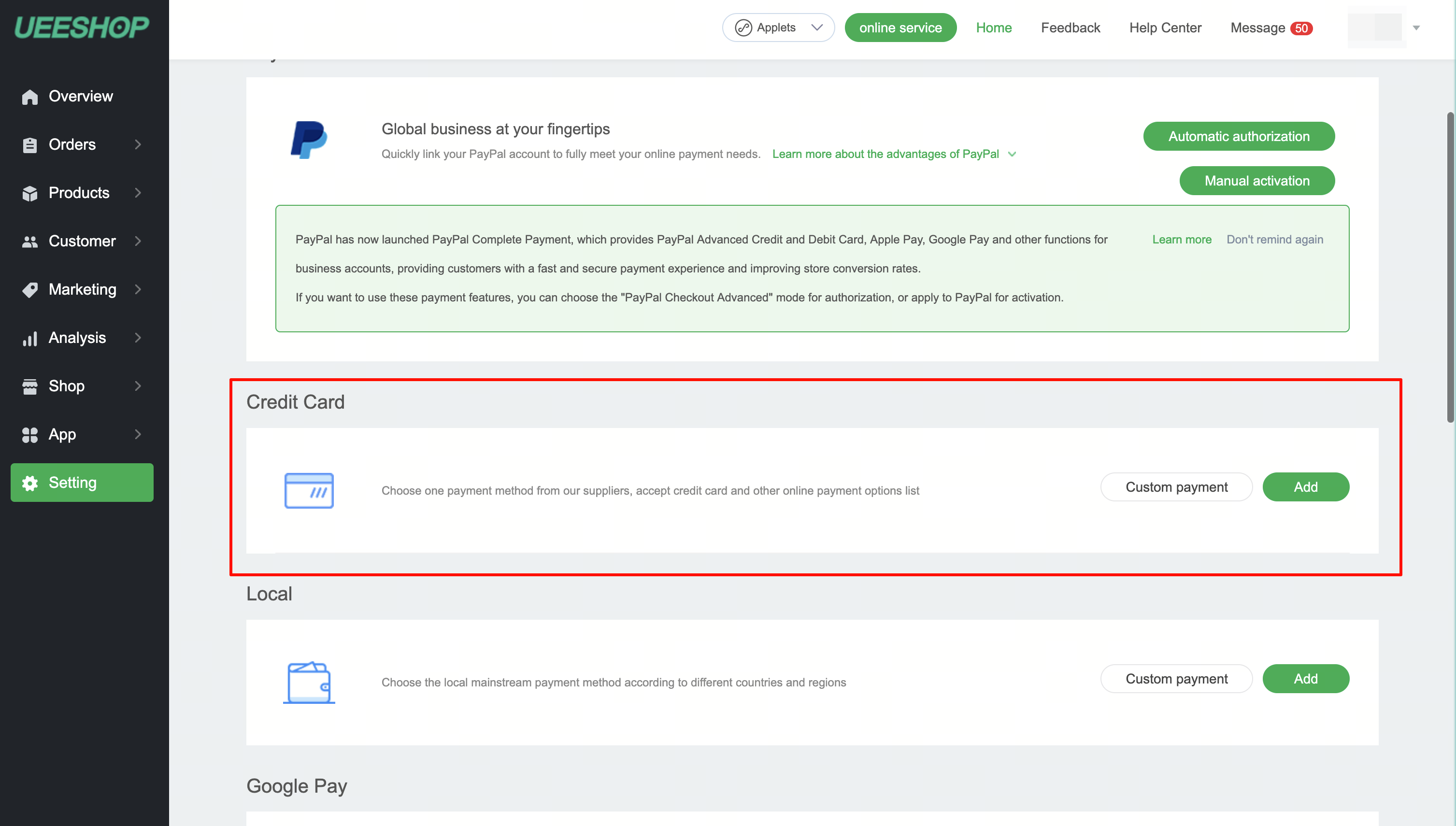
- In the credit card payment section, click Add.
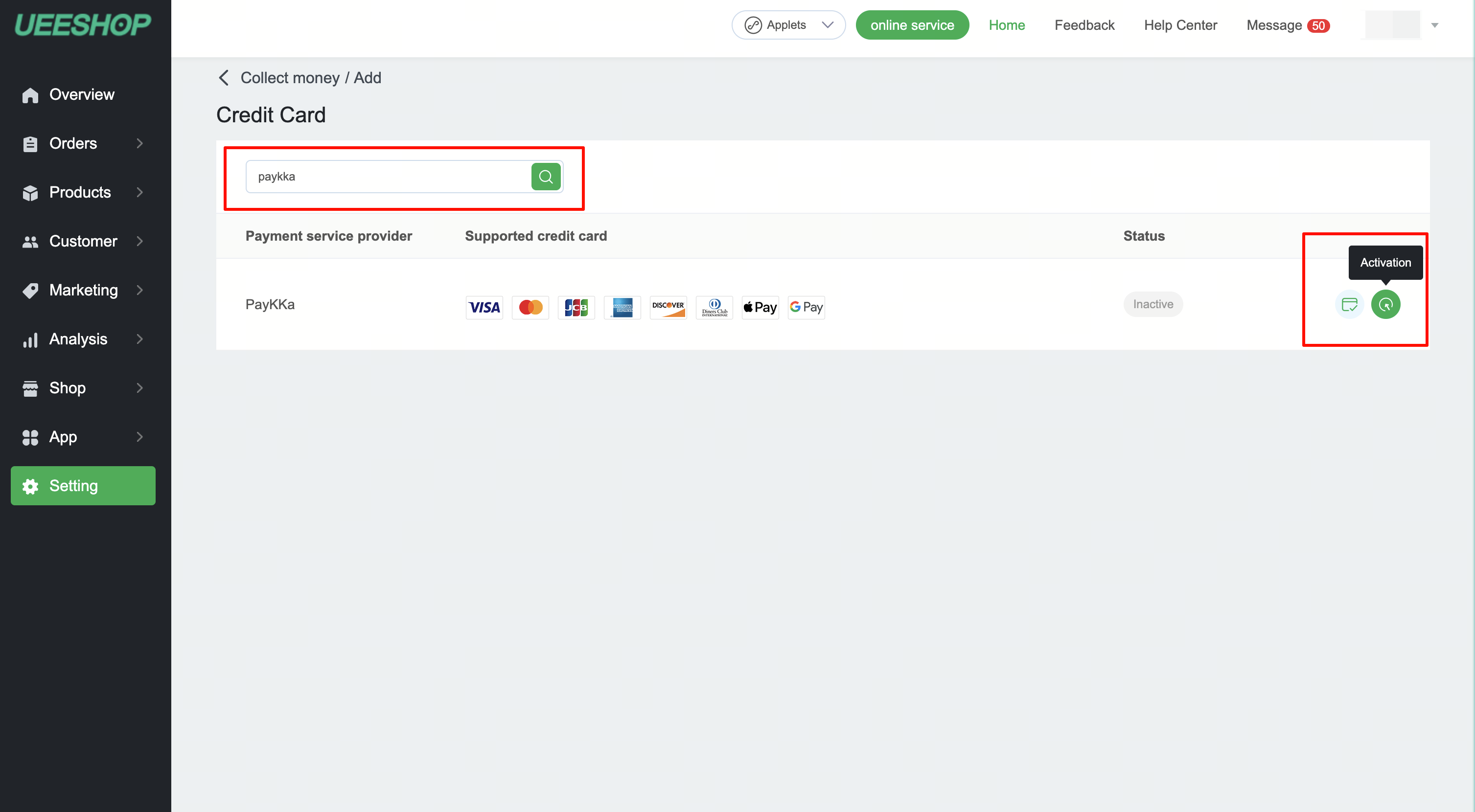
- Select PayKKa, then click Settings.
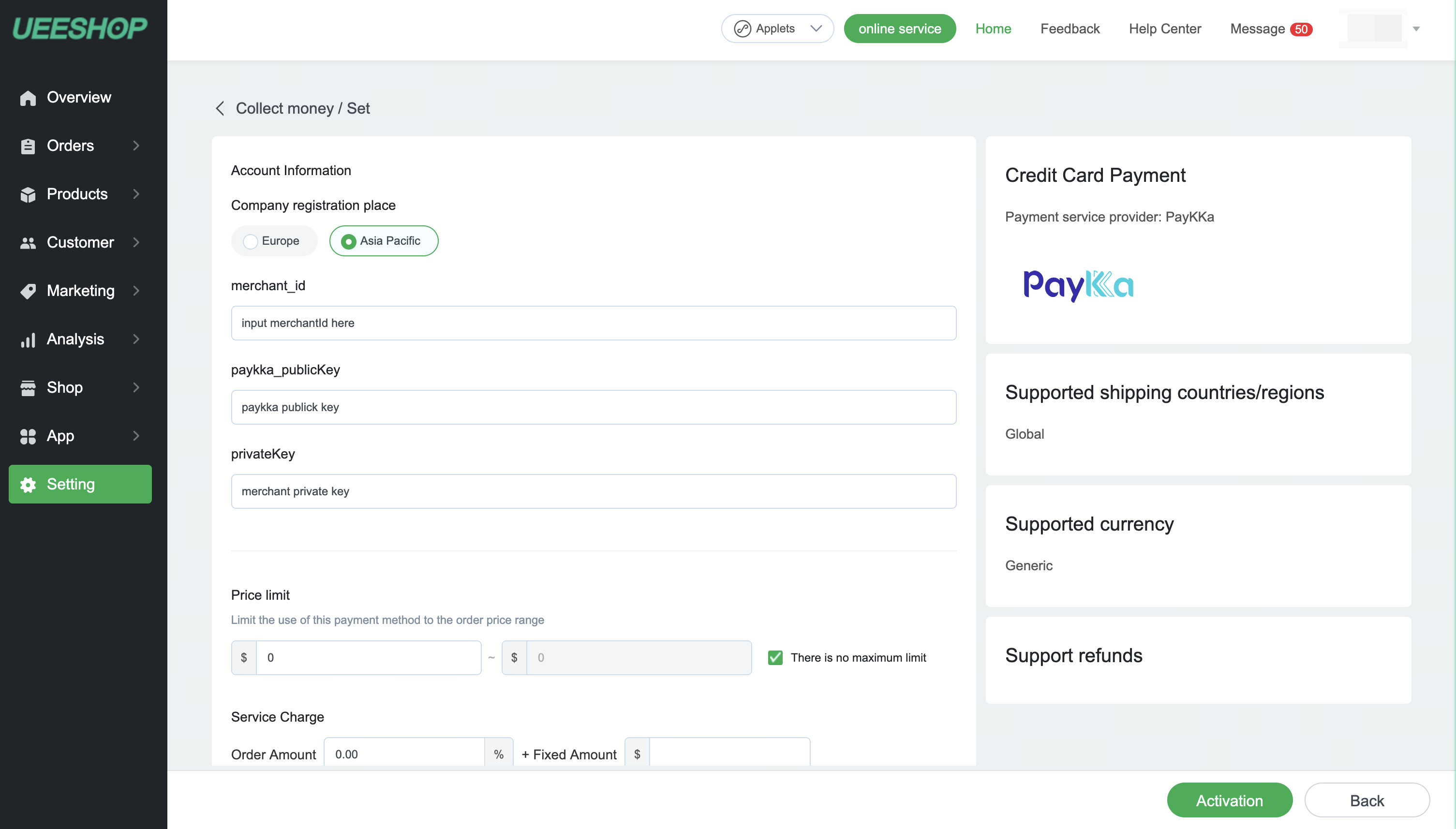
- In the settings page, choose the correct region, enter your merchant ID, enter your keys, then click Activate to finish the installation.
Choose Asia Pacific or Europe based on your integration region.
Field
merchant_id(member_id): enter the PayKKa merchant ID shown in the PayKKa Portal.Field
paykka_publicKey: enter the PayKKa public key from the PayKKa Portal.Field
privateKey: enter the private key generated in the PayKKa platform and shown in the PayKKa Portal.Supported card brands can be selected based on your needs and what PayKKa has enabled.
The PayKKa plugin should now be visible on your payment page.